 Leta
LetaProfessional CAD. Local. Yours. Forever.
Leta is parametric CAD for Windows. Sketch with dimensioning, relations, and a robust constraint solver. Build parts from a fully parametric feature history. Fold, cut, form, and roll sheet metal, and much more. Easily generate flat patterns, and make full drawing packages that are ready for production — in a native app that runs offline and keeps your files on your own disk.
- No account
- Works offline
- A license you keep
Makers. Engineers. Startups.
Leta is user-friendly enough for a casual maker to learn it quickly and use it for any personal project, and capable enough to be used professionally by small- to medium-sized teams.
Design intent, in numbers
Every length, angle and radius can be typed, named and driven by a relation. Parameters, relations and configuration tables are built in. Leta project parameter files define global parameters for entire multi-part projects.
Edits you can trust
All feature edits are fully parametric. A feature that can’t rebuild is marked and explained, and the rest of the part still builds.
Native and quick
Written in C++ with its own OpenGL renderer. An edit rebuilds from the feature you changed, not from the top of the tree.
Yours, on your machine
No account and no cloud. Parts are stored locally, and parts can be encrypted with AES-256.
From the first sketch to the shop drawing
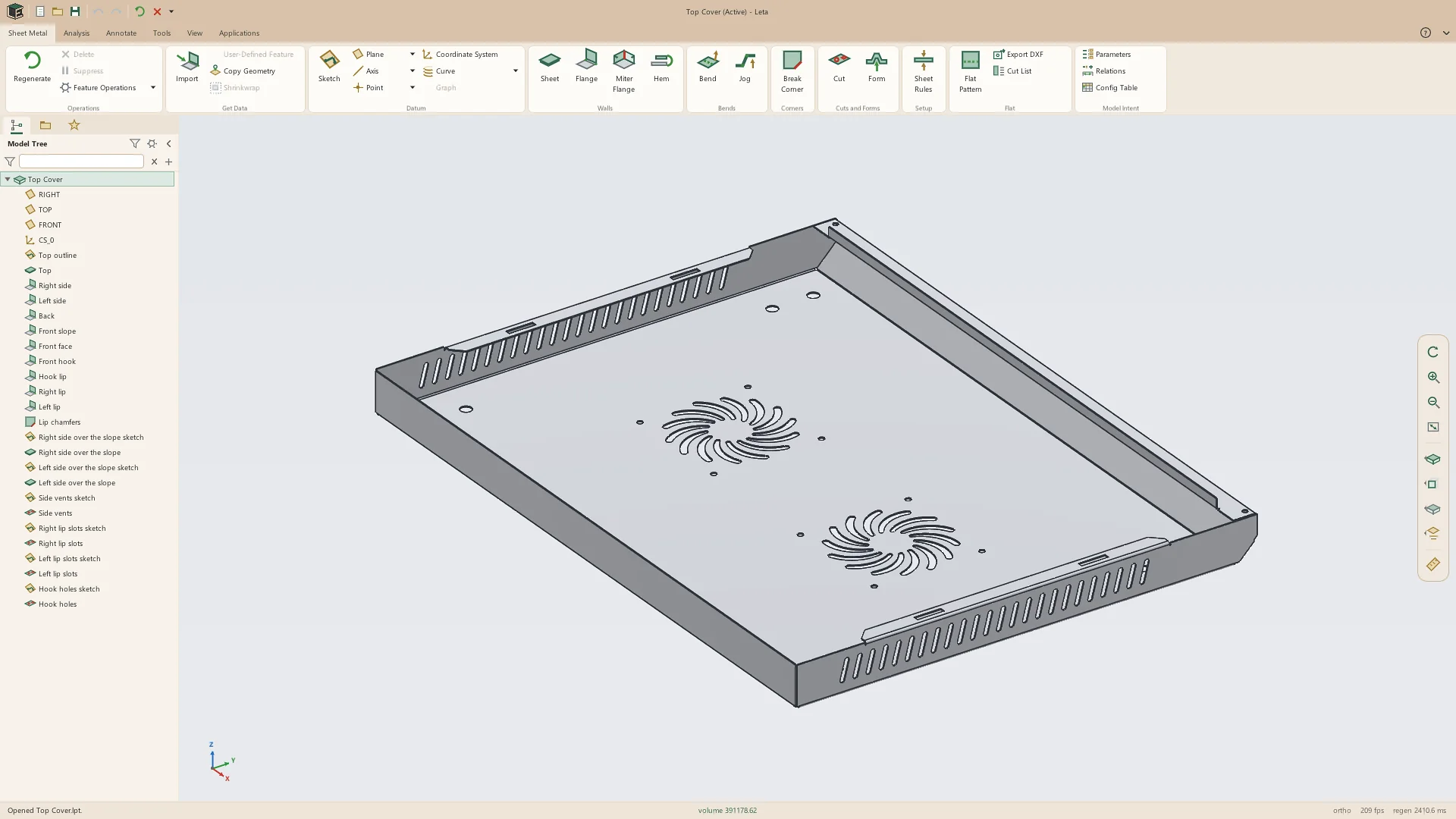
Every screenshot on this page is Leta 0.6 running on Windows, showing real parts.
A sketcher with a real solver
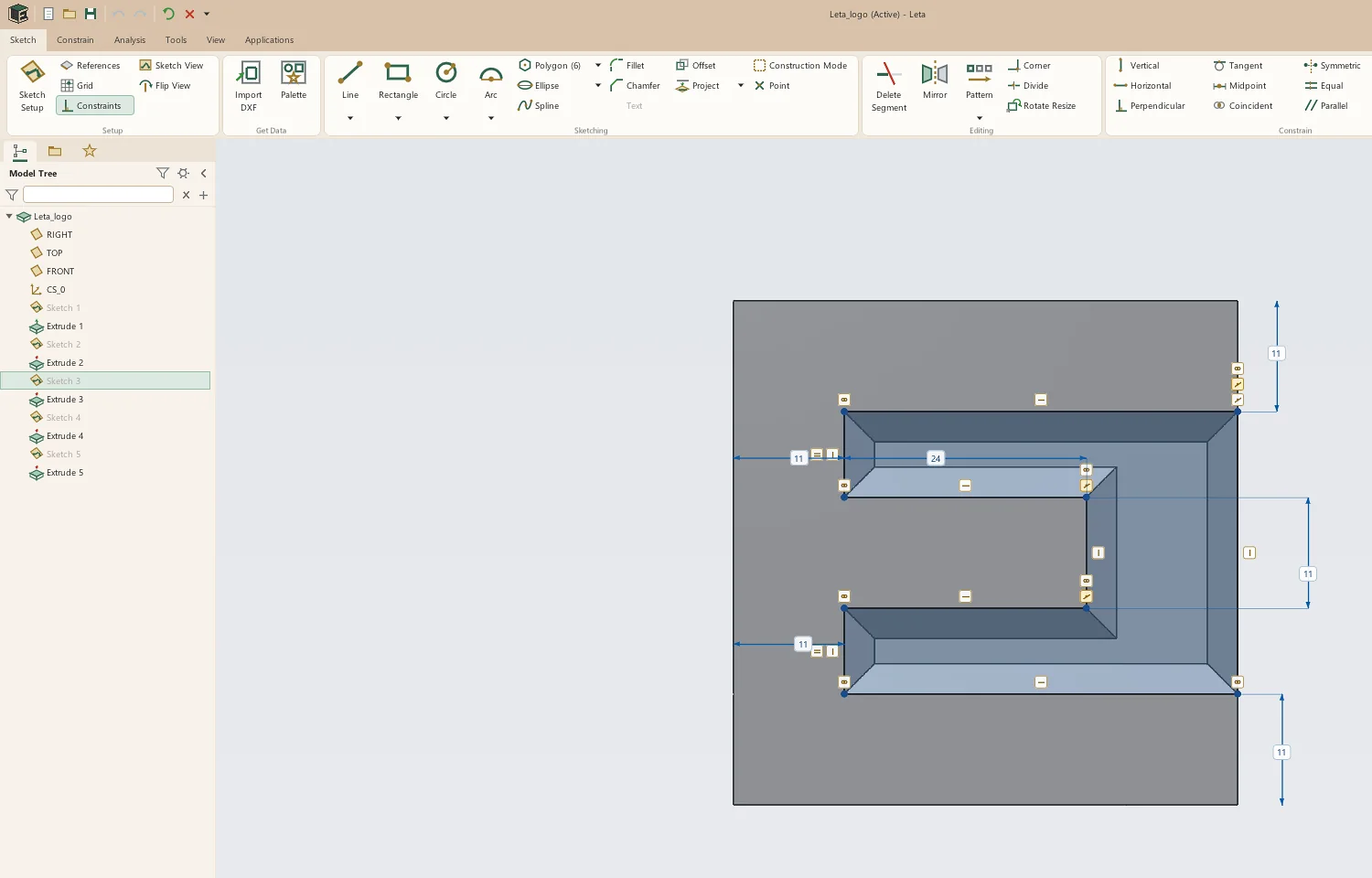
Draw lines, arcs, circles, slots, polygons, ellipses and splines. Leta infers constraints as you draw and snaps to what’s already there: endpoints, midpoints, centers, tangents and model edges. One Dimension tool handles every pairing, takes expressions, and flags an over-constrained sketch before it breaks.
- Trim, extend, divide, fillet, chamfer, mirror and live offsets
- Linear and circular sketch patterns
- Project model edges, ellipses and splines included
- Copy and paste geometry between parts; import DXF
The features a real part needs
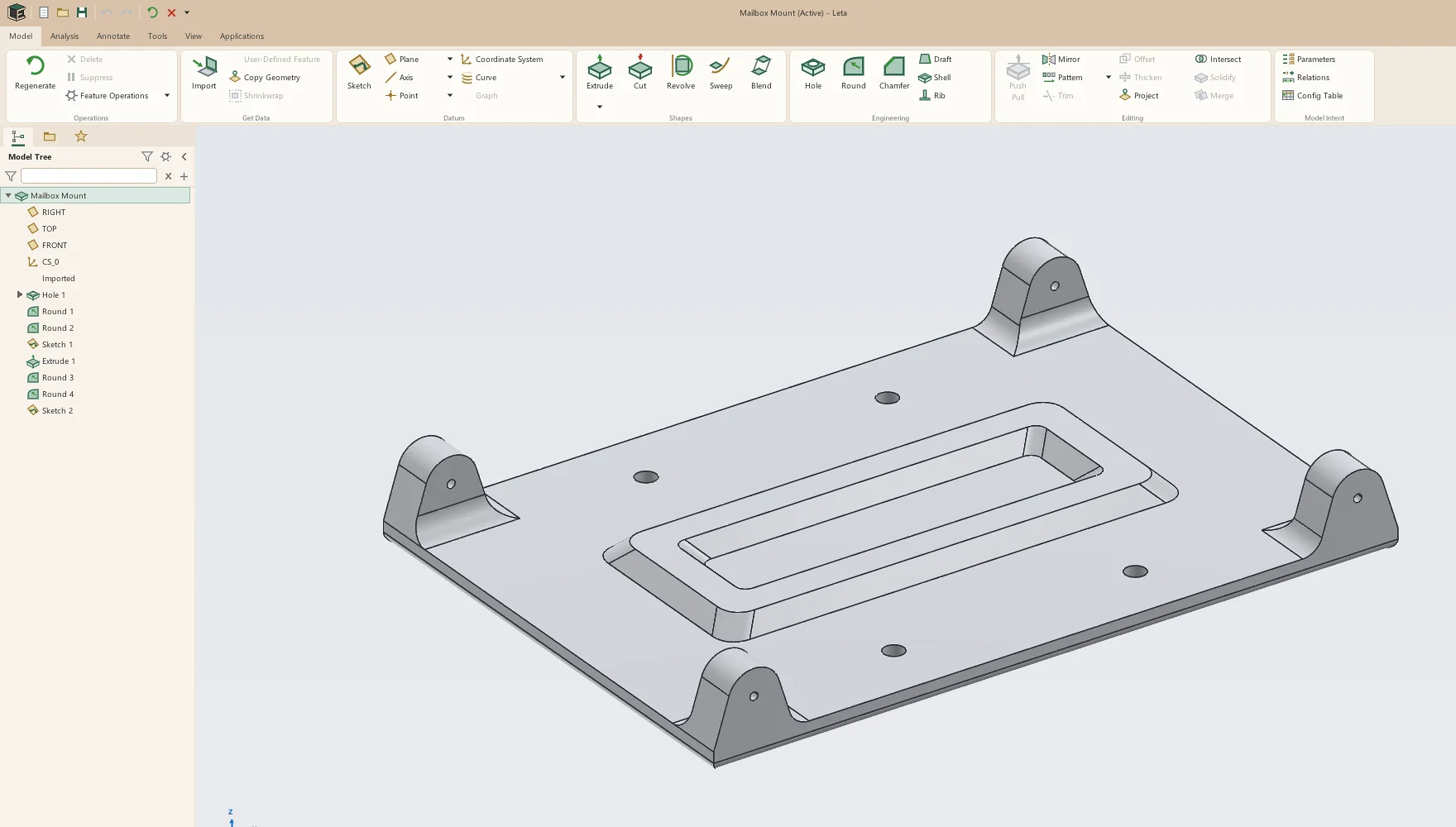
Extrude, revolve, sweep and blend. Holes to ISO and inch standards: counterbored, countersunk, tapped with cosmetic or modeled threads. Rounds, chamfers, shell, draft and rib. Linear, circular and sketch-driven patterns, and mirror in one plane or two. Push-pull is there too, and it’s recorded in the history like everything else.
- Constant, variable and conic rounds, with tangent chains
- Helixes, spirals and curves from equations to sweep along
- Datum planes, axes, points and coordinate systems
- Measure between anything, with X, Y and Z drawn on the model
Sheet metal, held flat
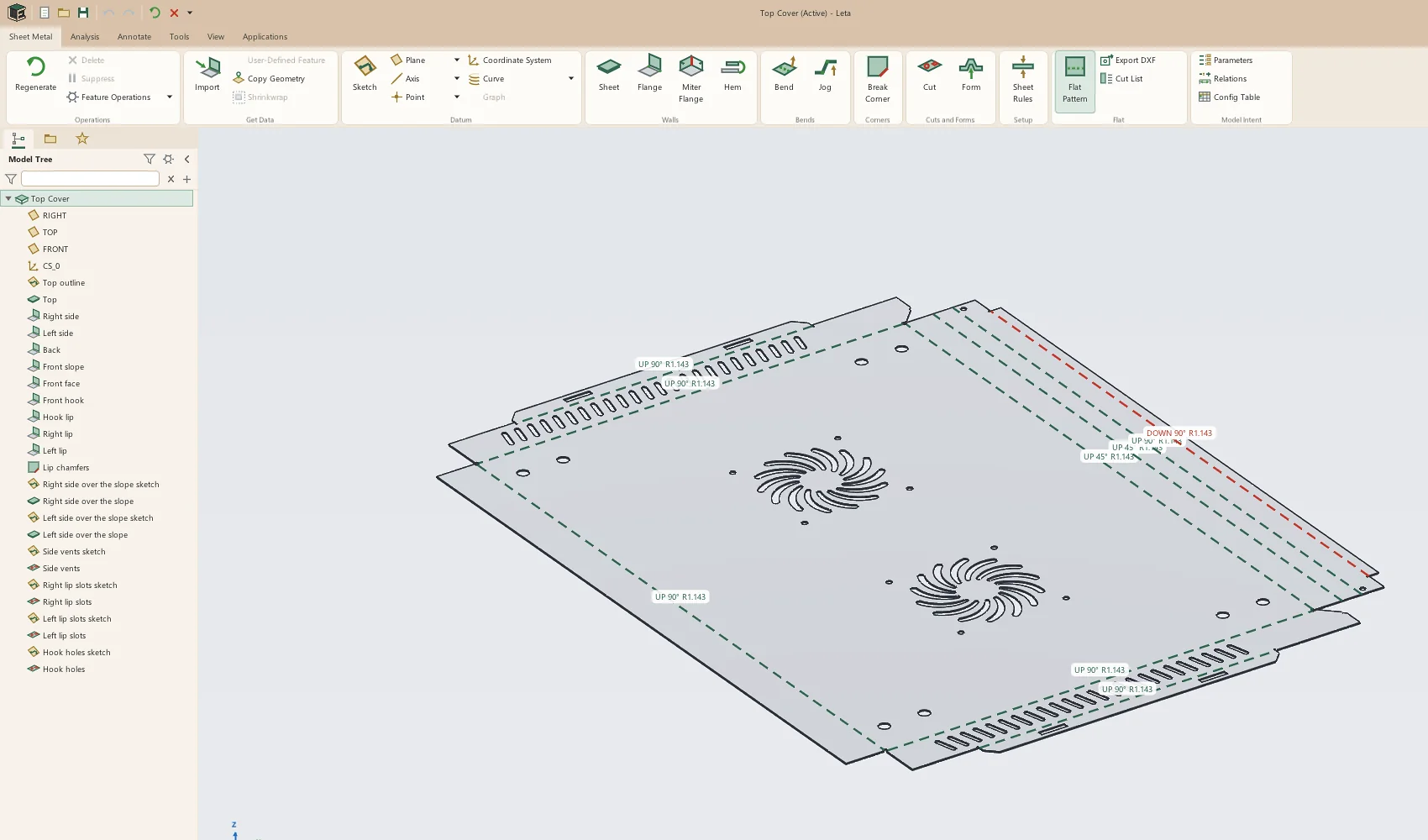
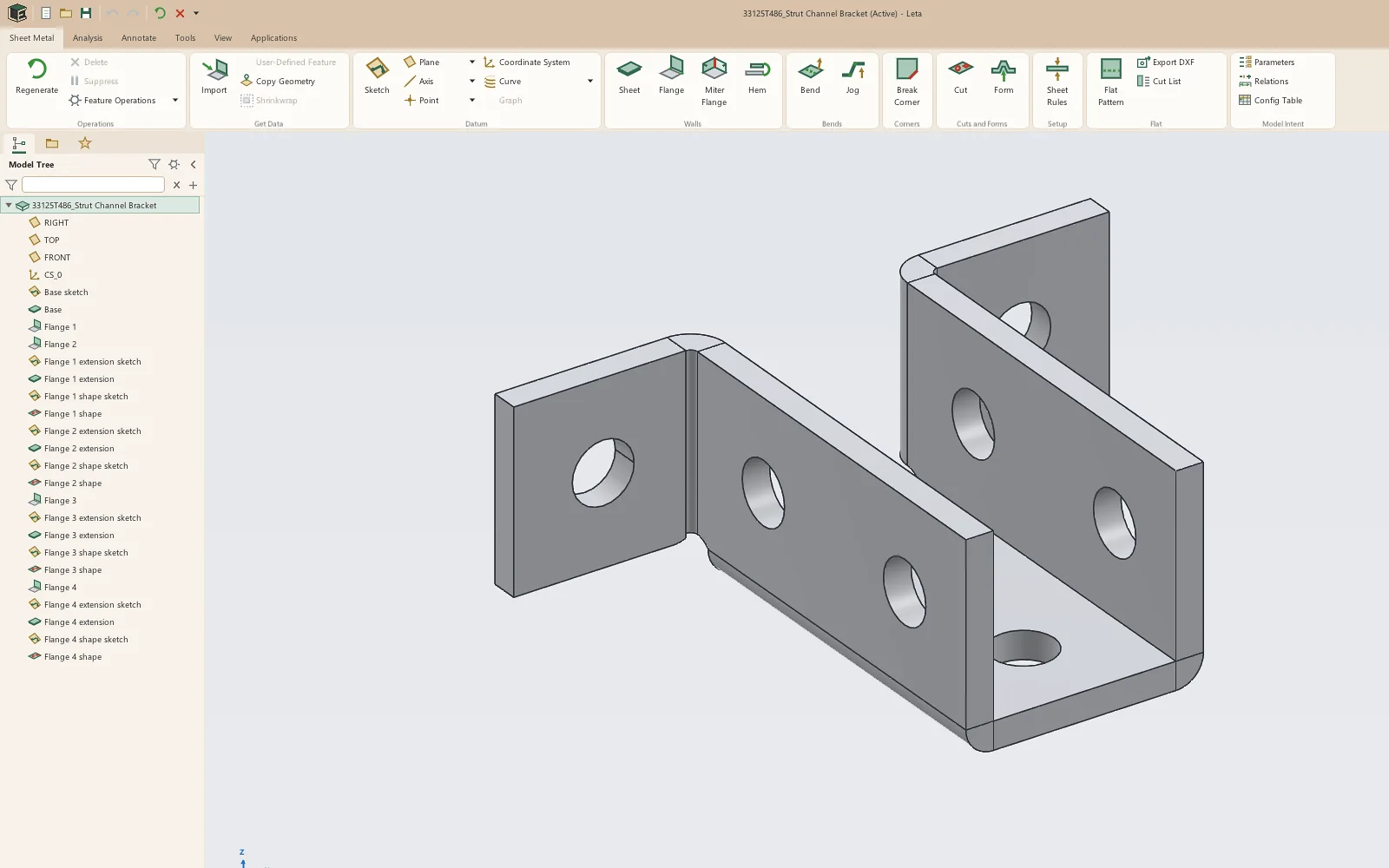
A sheet-metal part is modeled as walls and bends and kept in the flat, so its flat pattern is exact by construction. Flanges, miter flanges, hems, jogs, bends on sketched lines, break corners, cuts across bends, and forming tools for dimples, louvers, lances and extruded holes.
- Bend allowance by K-factor, bend deduction or a bend table
- Gauge tables, corner reliefs and closed corners
- Flat pattern as DXF, and a cut list
- STEP sheet metal comes in as real, dimensioned flanges
Drawings the shop can build from
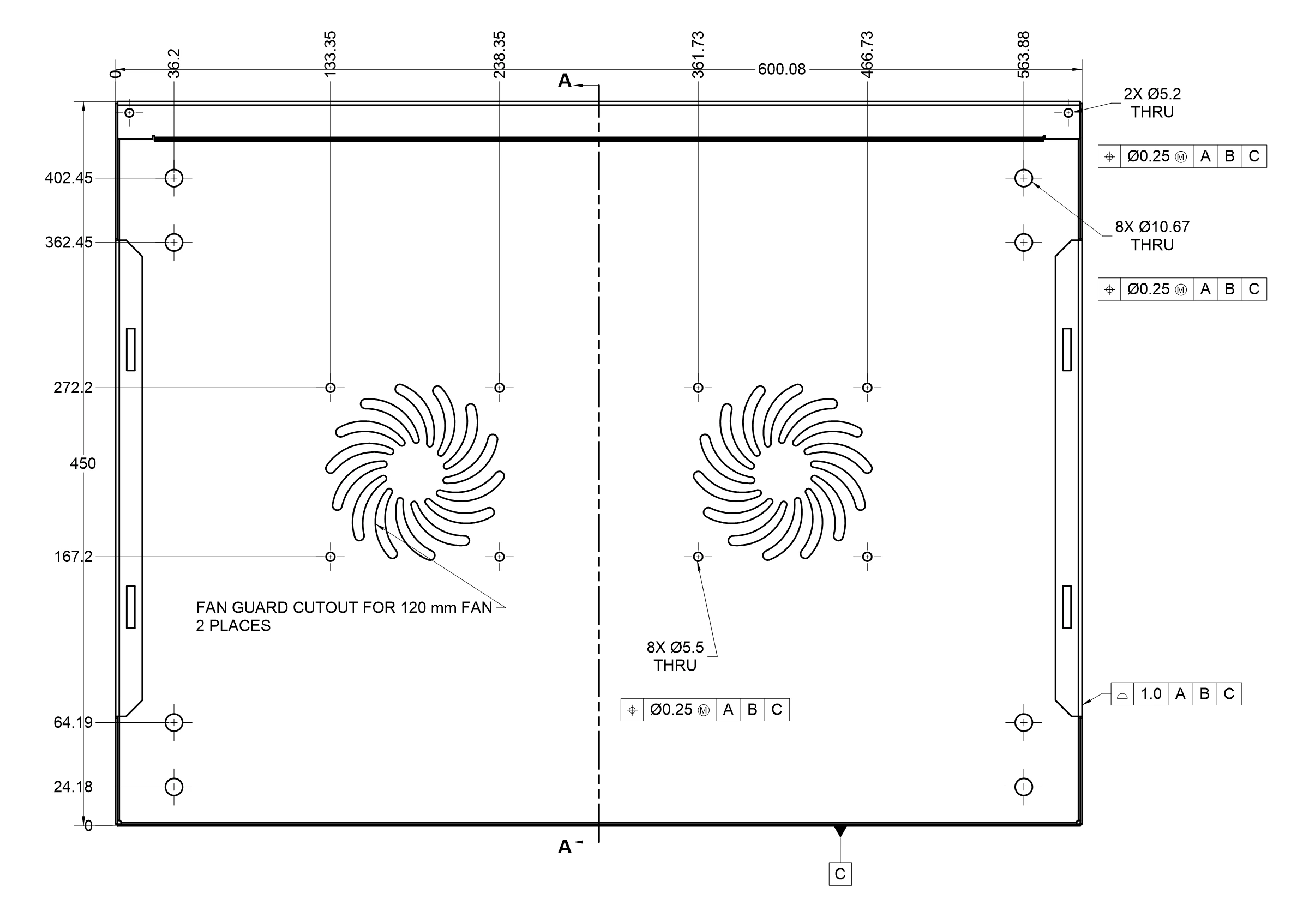
Base, projected, section, detail, auxiliary and broken views, worked out with exact hidden-line removal. Dimensions follow the part when it changes, and anything that loses its reference is flagged in red rather than quietly moved.
- Ordinate, baseline and chain dimensions, with tolerances
- GD&T frames, datums, surface finish and weld symbols
- Hole callouts, bills of materials, hole, bend and revision tables
- Your company’s title block; PDF, DXF, SVG, PNG and print
Parameters, relations and configurations
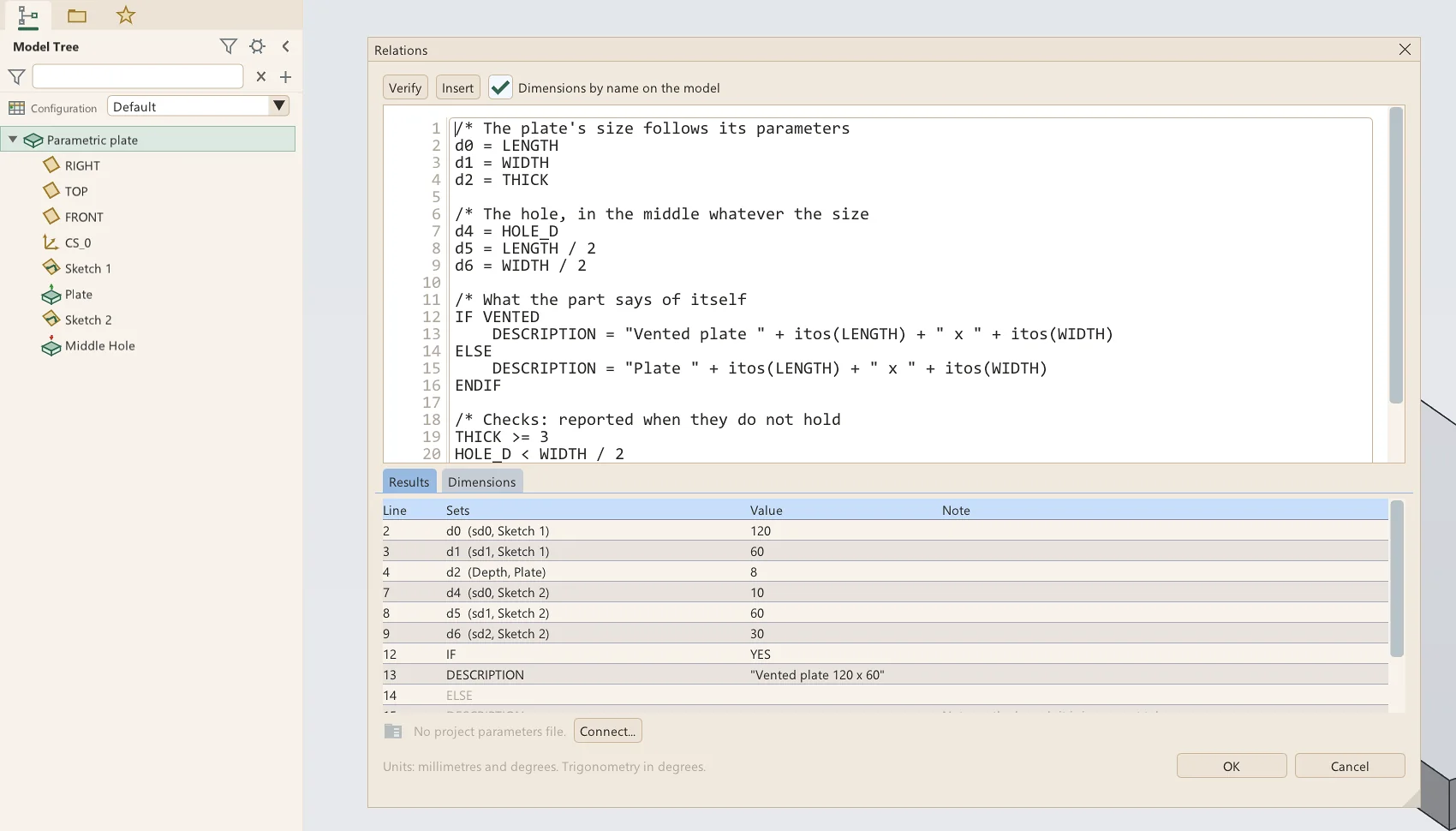
Give a part named parameters and write relations that drive its dimensions, with IF and ELSE, functions and checks that report when they don’t hold. Keep several sizes of one part in a configuration table and switch between them from the tree.
- Every dimension addressable by its symbol, shown on the model
- Project parameter files shared by a whole set of parts
- Drawings that show any configuration of a part
Works with the files you already have
Open STEP files as solid bodies, or have Leta recognize them as features: extrudes, revolves, holes, rounds and chamfers, and sheet-metal parts as real flanges with fully dimensioned sketches. Export STEP, STL, 3MF with colors, OBJ and DXF.
- Check draft and wall thickness for 3D printing
- See whether a part fits each of your printers
- Import DXF into a sketch, ellipses and splines included
The details that make it a daily tool
Autosave and recovery
Leta keeps a recovery copy of your work as you go, and offers it back if a session ends badly.
Password-protected parts
Protect a part and its features, dimensions and names are encrypted with AES-256. No back door, so keep the password.
Build Replay
Step through a part’s history one feature at a time to see how it was made, or to find where an edit went wrong.
Analysis
Mass properties with materials, measurement between any two things, short edges, geometry checks, and draft and thickness maps.
Familiar controls
A ribbon, a model tree, feature settings in a strip under the ribbon, and the keys CAD users expect, middle-click to accept included.
Versions and copies
Keep numbered versions as you save, save a copy, and back up, compare or version-control plain files.
Buy it once. Keep it.
When Leta is released it will be sold as a perpetual license, for one person on up to two computers, with three years of updates included.
Every copy runs for 30 days with nothing held back, started with one click in Leta. A bought license activates without an internet connection.
How licensing worksWhat’s coming next
New betas come out often. Next on the list:
- Assemblies with mates, joints and working mechanisms
- Multi-body parts
- Surface tools: trim, offset, thicken, solidify and merge
Try Leta during the beta
Beta builds go out by email. Say what you design and what you use now, and you’ll get the installer and a license for the beta.
Who makes Leta
I’m a design engineer by trade, and just about everything else in my free time — carpentry, homelab, software, motorsports, and much more. I have nearly a decade of CAD experience (professional and hobby), most of it being in heavy equipment and robotics engineering. I’ve tried to take my favorite elements from each of the programs I’ve used and implement them all into an easy-to-use package with huge capability.
And to answer the burning question, yes, AI was heavily utilized in creating this software. But only in conjunction with hundreds of hours of my own eyes on every feature, tool, setting, etc., and my own unique ideas and concepts, my own UI design and workflow, not to mention my many friends who have helped me test and debug. I’m glad that modern technology has helped me create something that I can provide at a drastically lower price than the limited and high-priced options currently available.
So please, everyone, enjoy! And feel free to send any and all feedback my way. Every word of it will be read by me and taken seriously.
Tyler Sorensen · support@letacad.com