 Leta
LetaEverything in Leta
What the current beta does, area by area. For what changed recently, see the release notes.
Sketcher
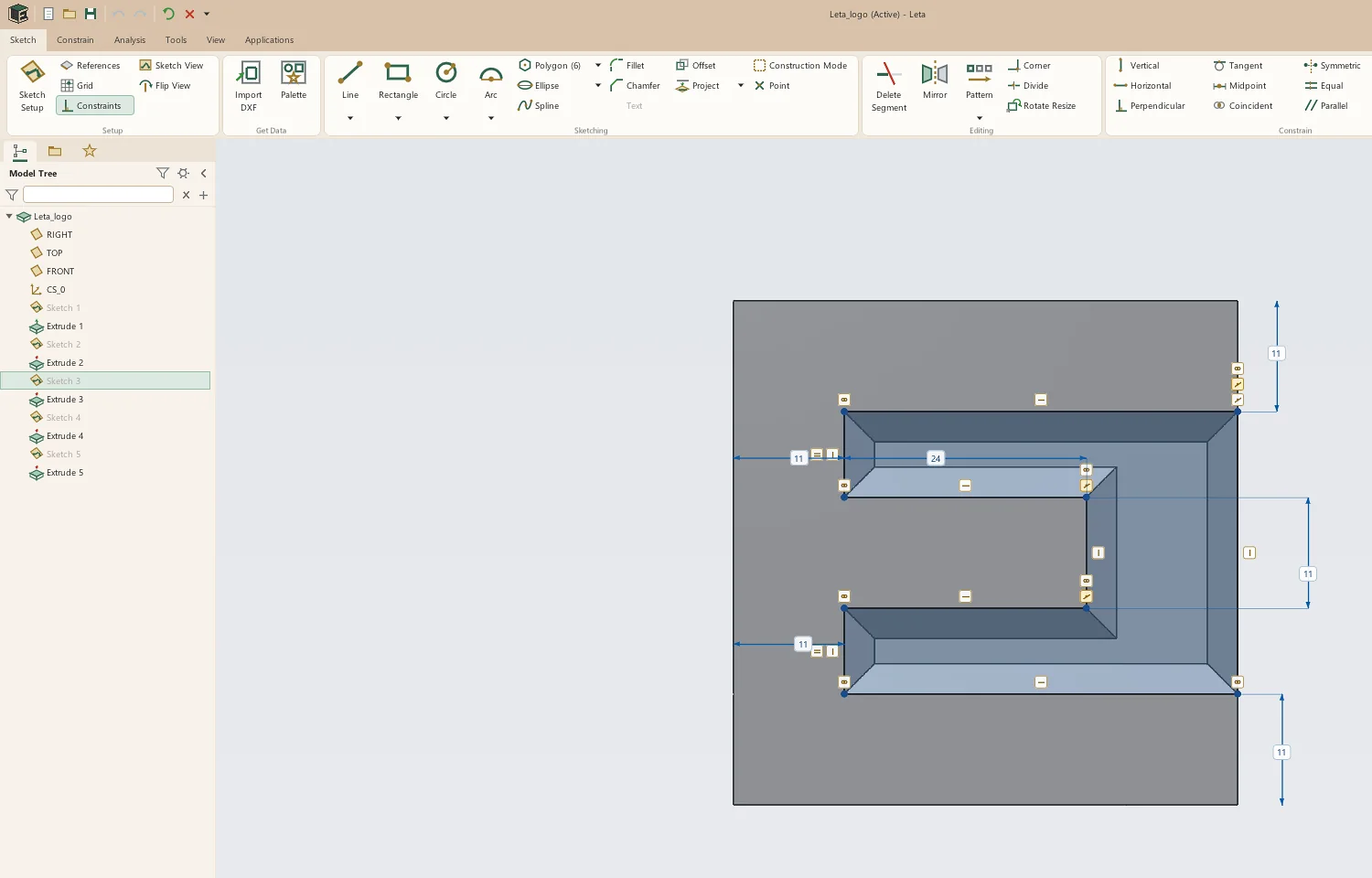
SketchSketches are where parts start, so the sketcher gets the most care: a constraint solver that stays stable while you drag, inference that reads what you meant, and one dimension tool that does the right thing for whatever you pick.
Geometry
- Lines and centerlines, with tangent or square arcs straight from the line tool
- Arcs by center or three points, and concentric arcs
- Circles by center, by three points, or concentric
- Rectangles by corner, center or slant, parallelograms, and end-to-end and center slots
- Polygons and a palette of shapes, sections and stars
- Ellipses and splines, exact end to end
- Points and construction geometry
Constraints and dimensions
- Inferred as you draw: coincident, horizontal, vertical, parallel, perpendicular, tangent, midpoint and more
- Snaps to endpoints, midpoints, centers, quadrants, intersections, datums and model edges
- Equal, symmetric, concentric and collinear on demand
- One Dimension tool for lengths, distances, angles, radii and diameters
- Diameters about a centerline for turned parts
- Values typed as expressions, with units and names
- Reference dimensions, and a prompt when a sketch is over-constrained
- Values typed while drawing
Editing
- Delete a segment, trim or extend to a corner, divide
- Fillet and chamfer at corners, arcs, ellipses and splines included
- Mirror, live offsets, rotate and resize with handles
- Linear and circular sketch patterns, along planes and model edges
- Project model edges, circles at a slant arriving as ellipses
- Cut, copy and paste, also between parts
- Import DXF into a sketch
- Sketch on any flat face or datum plane, and re-pick it later
Part modeling
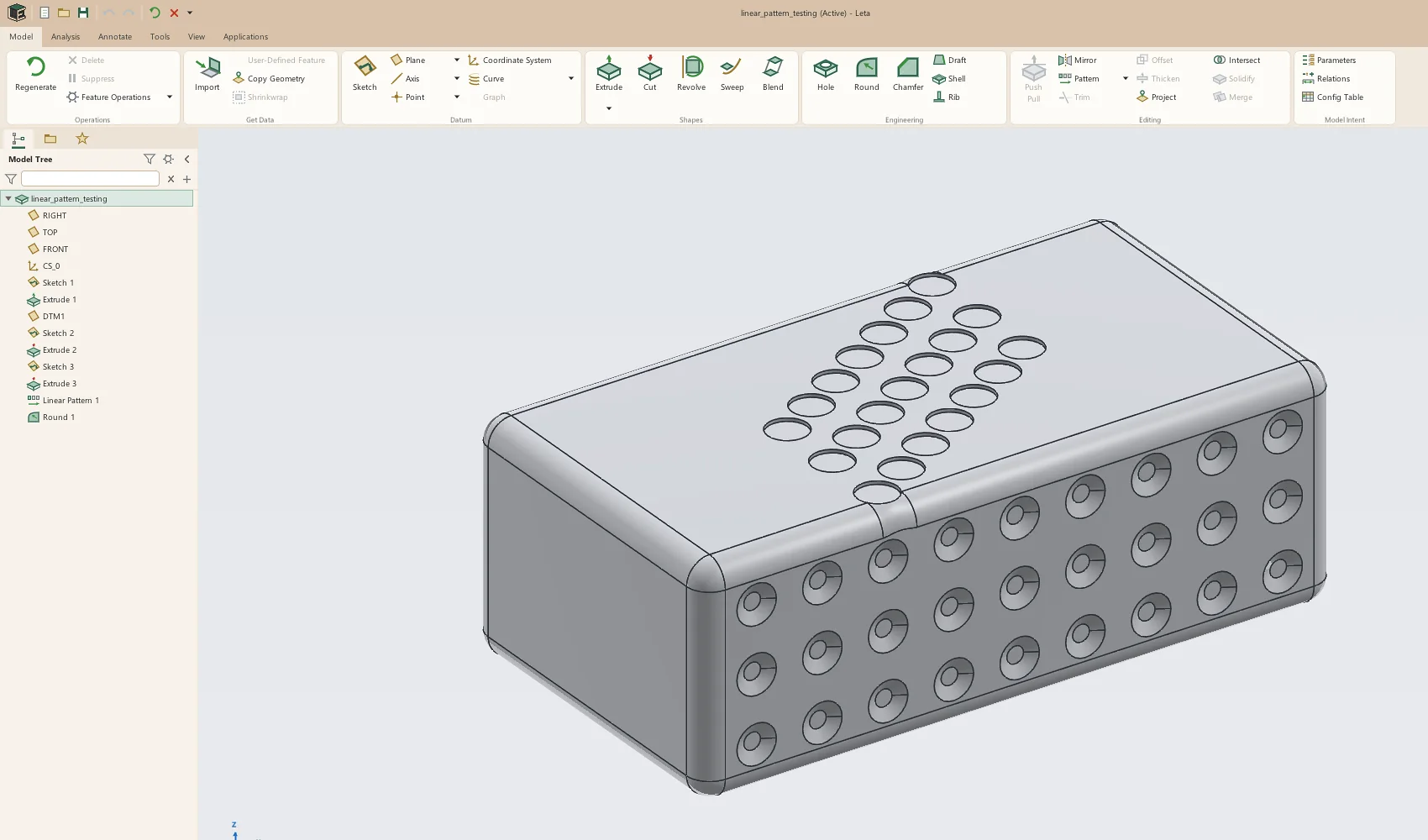
PartThe features a mechanical part needs, each with its settings in a strip of cards under the ribbon and a live preview while you set it.
Features
- Extrude and cut: blind, symmetric, two-sided, through all, up to next, up to a face or plane, or offset from one, with draft per side
- Thin extrudes
- Revolve
- Sweep along sketches, edges and curves, helixes included
- Blend between sections, with a draggable start point
- Hole: simple, counterbored, countersunk, counterdrilled, tapped and tapered; ISO and inch sizes; cosmetic or modeled threads
- Round: constant, D1 × D2, variable and conic, with tangent chains
- Chamfer: D × D, D1 × D2, angle × D and variable
- Shell, draft and rib
- Push-pull on faces, with a draft angle, recorded as a feature
- Linear, circular and sketch-driven patterns, and patterns along a curve
- Mirror features or the whole body, in one plane or two
- Copy Geometry from another part
Datums and curves
- Datum planes, axes, points and coordinate systems
- Helixes and spirals
- Curves through points, from equations, projected and intersection curves
The model tree
- Select from the tree or the model, and see the other light up
- Rename, hide, suppress, reorder and delete, several rows at once
- Undo and redo, each step named for what it did
- Build Replay steps through the history one feature at a time
- Every feature that fails says why, and the rest of the part still builds
Sheet metal
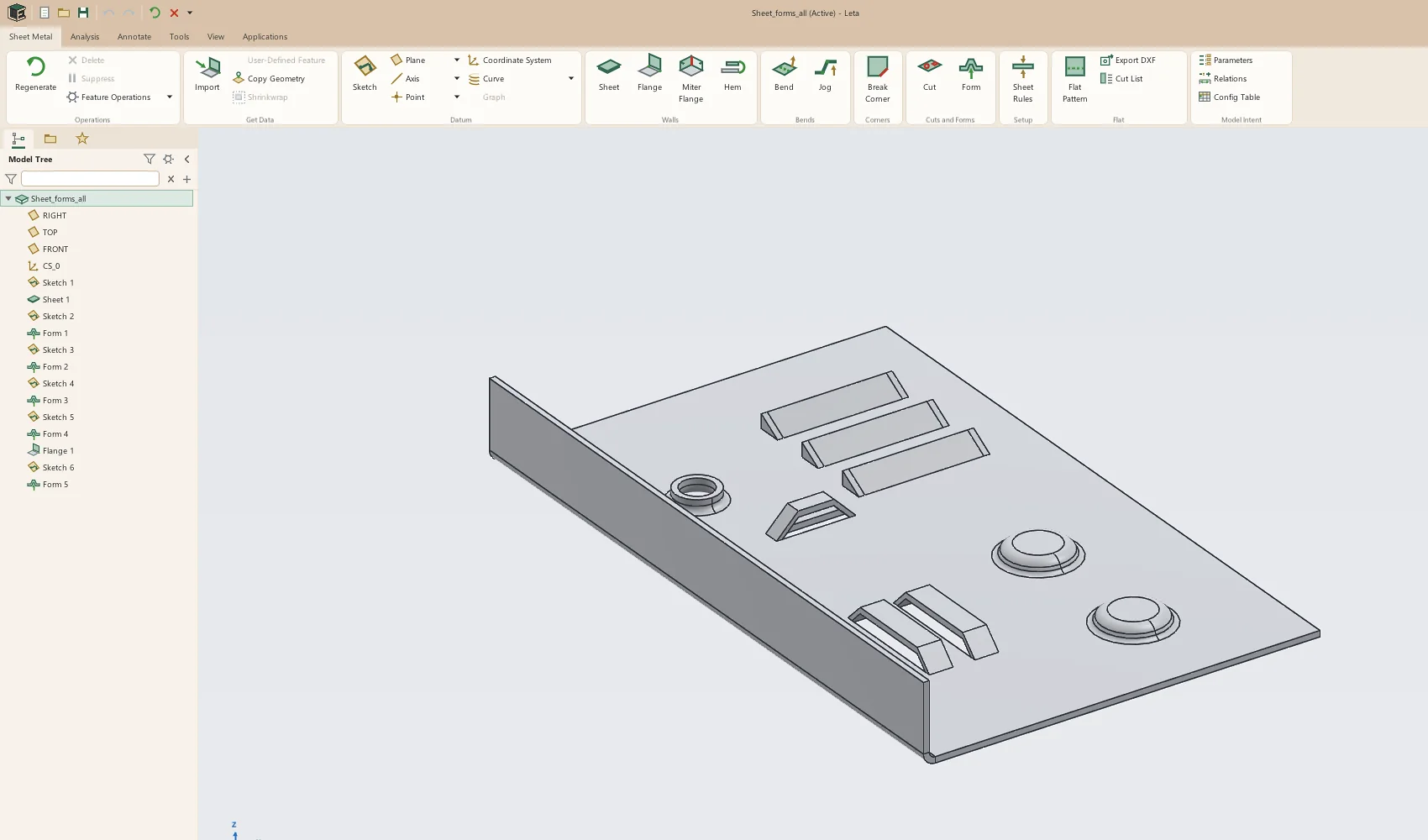
Sheet metalA sheet-metal part is its own kind of part, with its own tab. It's held as walls and bends in the flat, each wall placed by folding, so the flat pattern is exact by construction rather than unfolded after the fact.
Walls and bends
- Sheets from closed sketches or open paths
- Flanges on whole or partial edges, with positions and offsets
- Miter flanges
- Hems: closed, open, tear drop and rolled
- Bends on sketched lines, and jogs
- Tabs and break corners
- Corner reliefs (rectangular, obround, tear or round) and closed corners
Cuts and forms
- Cuts through the folded part, through bends, or drawn on the flat
- Forming tools: dimples, extruded holes, louvers and lances
Rules and output
- Thickness, bend radius and K-factor, typed or picked from a gauge table
- Bend allowance, bend deduction or a bend table
- Flat pattern view with bend lines and notes
- Flat pattern as DXF, and a cut list
- STEP sheet metal recognized as flanges with dimensioned sketches
Drawings
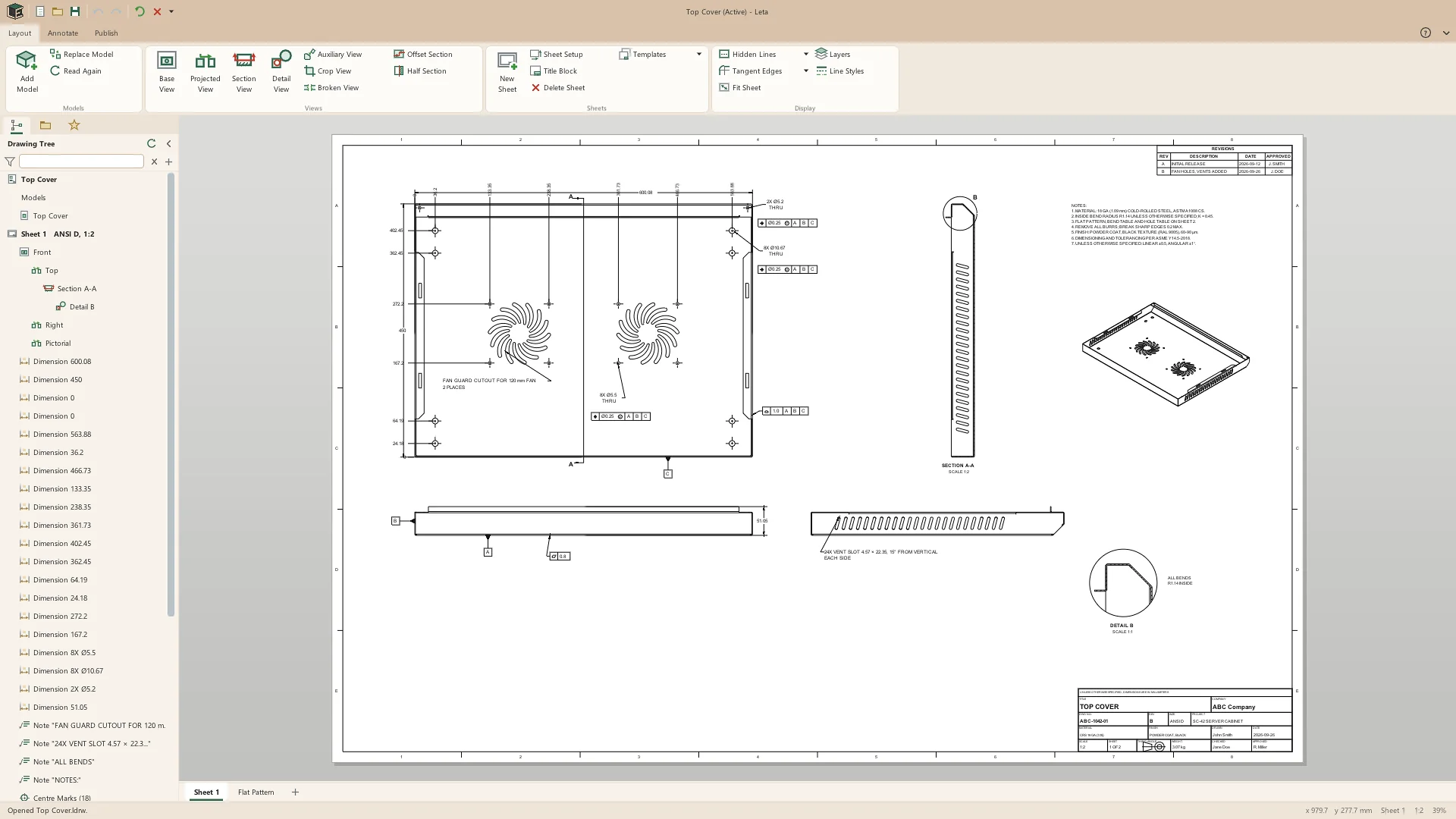
DrawingsA drawing is a document of its own, in a window of its own, with views that stay tied to the part. New drawings of a part start with standard views laid out, and a sheet-metal part gets its flat pattern sheet with a bend table.
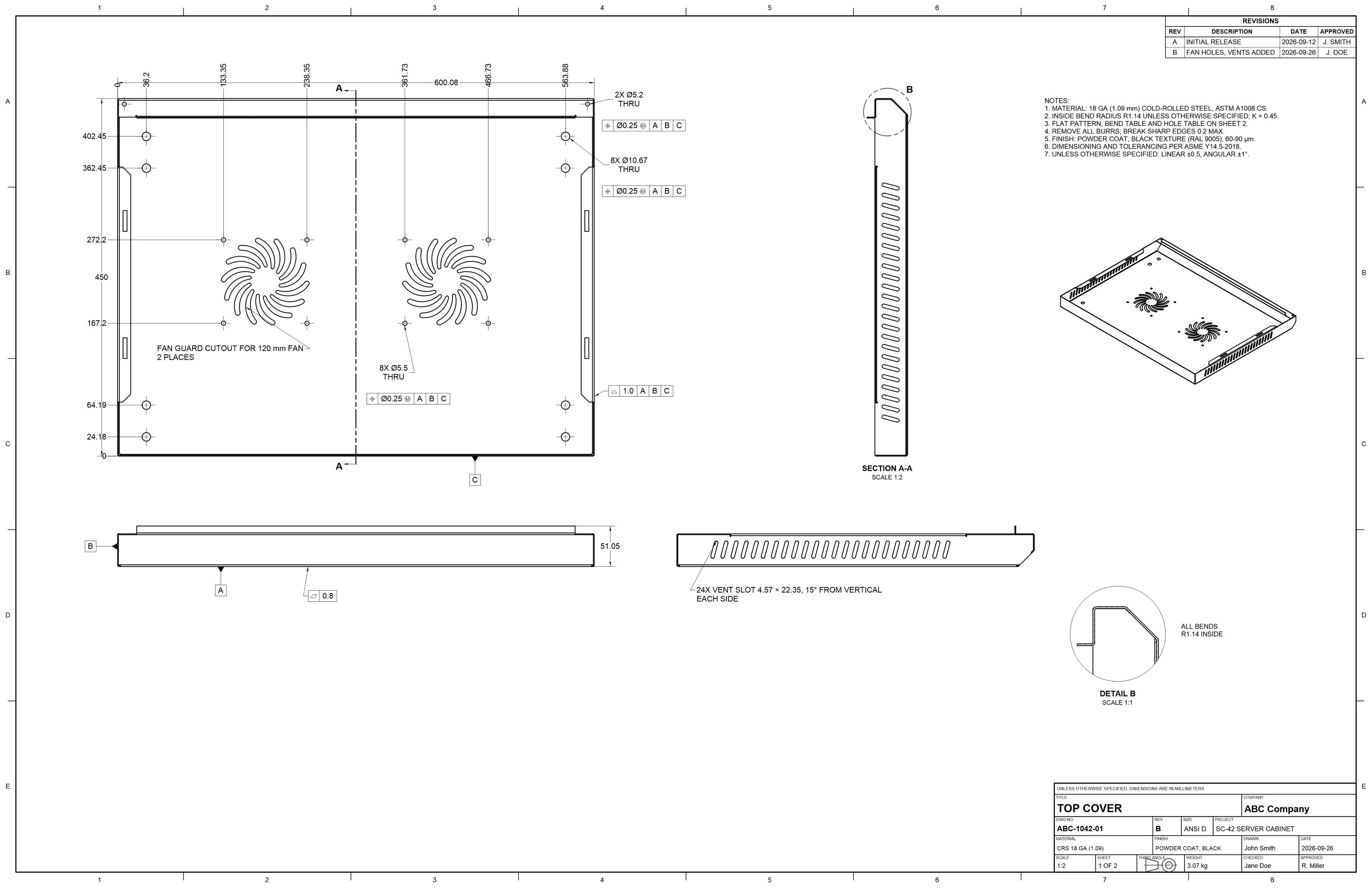
Views
- Base, projected and pictorial views
- Full, offset and half sections, hatched
- Detail, auxiliary, cropped and broken views
- Exact hidden-line removal, worked out in the background
- Flat pattern views with bend notes
- Any configuration of a part
- Draft views for very large models
Annotation
- Dimensions that follow the part when it changes
- Ordinate, baseline and chain dimensions, and Arrange
- Tolerances: symmetric, plus-minus, limits and basic
- Hole, chamfer and round callouts from the model; threads drawn by convention
- Feature control frames, datum features, surface finish and weld symbols
- Notes with leaders, center marks and balloons
- Anything that loses its reference is listed in red, never silently moved
Sheets and output
- Bills of materials, hole tables, bend tables and revision tables
- ISO, ANSI and custom sheet sizes; first- or third-angle projection
- Templates with your company's own title block
- Layers and line styles
- PDF, DXF, SVG and PNG at true scale, and printing
Parameters, relations and configurations
Model intentWhat a part means, written down: named values, the rules between them, and the sizes a part comes in.
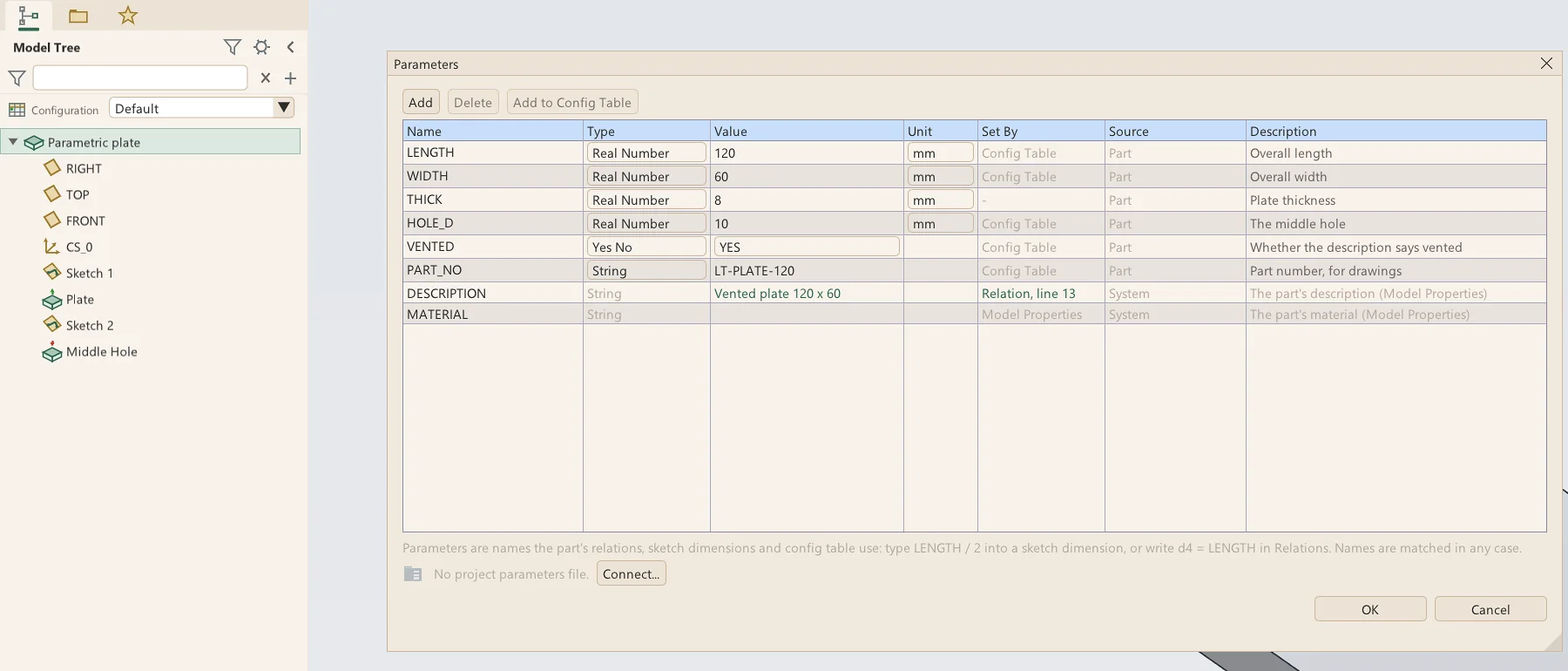
- Parameters of the part, of the system (description, material, sheet thickness) and of a project
- Relations with IF, ELSE and ENDIF, functions and checks, verified line by line
- Every dimension addressable by its symbol, and shown by symbol on the model
- A sketch dimension set to an expression like LENGTH / 2
- Config tables: named configurations of one part, switched live from the tree, exported as CSV
- Project parameter files (.lppm) shared by many parts, with project options and Where Used
Import, export and files
FilesLeta reads and writes the formats a shop, a printer and a supplier use, and its own files are plain text.
Import
- STEP as a solid body you can build on
- STEP recognized as features: extrudes, revolves, holes, rounds and chamfers
- STEP sheet metal as flanges with fully dimensioned sketches
- DXF into sketches, ellipses and splines included
Export
- STEP and STL
- 3MF with colors, and OBJ
- DXF of sketches and flat patterns
- Pictures, the clipboard, and printing
Your files
- Parts (.lpt) are plain, readable JSON
- Optional AES-256 password protection per part
- Autosave, crash recovery and numbered versions
- Drag and drop to open; a folder browser and favorites
Analysis and 3D printing
AnalysisCheck a part before it's made.
- Measure between any two things, with X, Y and Z drawn on the model
- Mass properties with a material; exact volumes, estimates marked and recalculated on request
- Short edge and geometry checks
- Draft and thickness analysis for molding and printing
- Your printers' build volumes, and whether a part fits each
- Section views of the model
The interface
InterfaceA layout experienced CAD users will find their way around: a ribbon of tools, a model tree on the left, and each feature's settings in a strip of cards under the ribbon, so nothing is docked over the model.
- Ribbon tabs for modeling, analysis, annotation, tools and view
- Quick Access Toolbar and ribbon you can customize
- A view toolbar docked on the right, top or bottom
- Shaded, shaded with edges, wireframe, hidden line and no hidden
- Orthographic or perspective, saved views, standard orientations
- Right-click menus everywhere; middle-click to accept
- Keyboard shortcuts, listed in Help
- An interface size that follows your monitor
Not in Leta yet
Honest listLeta is in beta. These are planned and not built yet:
- Assemblies: mates, joints and mechanisms, next on the list
- Multi-body parts
- Surface tools: trim, offset, thicken, solidify and merge
- Text in sketches
- macOS and Linux: Leta runs on Windows only
See it on your own parts
Beta builds go out by email. Say what you design and what you use now.